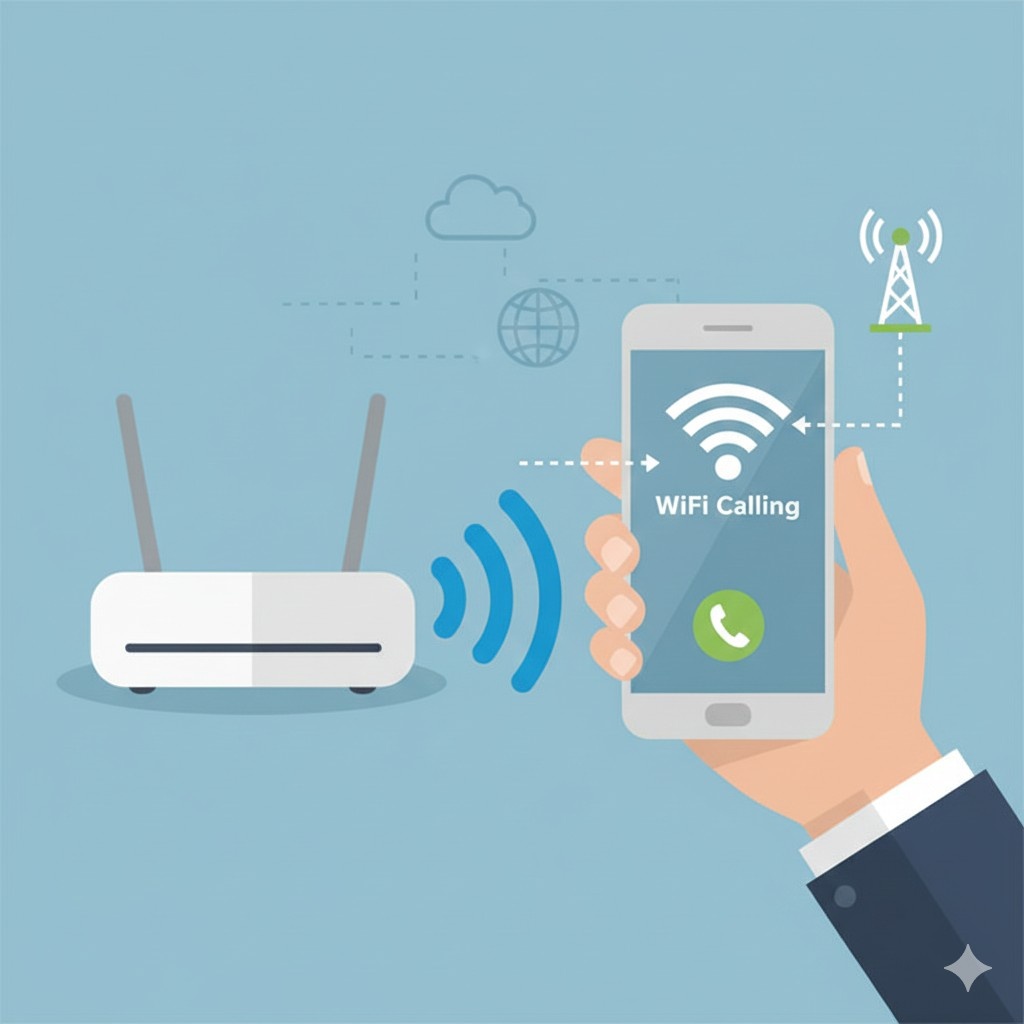

Introduction: What Is WiFi Calling?
WiFi Calling is a feature that allows you to make and receive phone calls and text messages using a WiFi network instead of relying on a mobile network signal. It is especially useful in areas where cellular reception is weak, such as indoors, in basements, in offices, or in remote locations.
Most modern smartphones support WiFi calling, and many telecom operators provide this feature at no extra cost. Once enabled, calls work just like normal calls—you can dial numbers, receive incoming calls, and send SMS as usual.
How Does WiFi Calling Work?
WiFi Calling routes your voice calls and text messages through a WiFi internet connection rather than cellular towers.
Here is how it works in simple terms:
- Your phone connects to a WiFi network
- The call is converted into data packets
- These packets travel securely over the internet
- Your mobile operator connects the call to the recipient
Importantly, WiFi Calling still uses your mobile number, not a separate app or account.
Key Benefits of WiFi Calling
1. Better Call Quality
Calls are often clearer with less noise when connected to a strong WiFi network.
2. Works in Low-Signal Areas
Ideal for places where mobile signals struggle, such as:
- Homes with thick walls
- Underground parking
- Office buildings
- Rural locations
3. No Extra Charges (Usually)
Most operators treat WiFi calls like regular calls under your plan.
4. Seamless Experience
No need to install third-party apps like WhatsApp or Skype.
Limitations of WiFi Calling
While useful, WiFi Calling has some limitations:
- Depends heavily on WiFi quality
- May not work on public or restricted WiFi networks
- Emergency calls may default to cellular networks
- Not supported by all carriers in all regions
How to Activate WiFi Calling on Android Phones
Follow these steps (may vary slightly by brand):
- Open Settings
- Tap Network & Internet or Connections
- Select Mobile Network
- Find and enable WiFi Calling
- Confirm activation if prompted
For Samsung Phones:
Settings → Connections → WiFi Calling → Enable
For Xiaomi / Redmi:
Settings → SIM Cards & Mobile Networks → Select SIM → Enable WiFi Calling
How to Activate WiFi Calling on iPhone
WiFi Calling works on iPhone 6 and newer models.
Steps:
- Open Settings
- Tap Phone
- Select WiFi Calling
- Enable WiFi Calling on This iPhone
- Accept terms and conditions
Once activated, you will see “WiFi” or “WiFi Calling” near the signal bar.
How to Use WiFi Calling
Using WiFi Calling is automatic once enabled:
- Dial numbers normally from the Phone app
- Receive calls as usual
- Send and receive SMS without changes
Your phone will automatically switch between WiFi and cellular networks based on signal strength.
Does WiFi Calling Use Mobile Data?

No. WiFi Calling uses:
- WiFi internet only
- No mobile data is consumed
However, if WiFi becomes unstable, your phone may switch back to mobile data automatically.
Is WiFi Calling Free?
In most cases:
- Local calls: Free or included in your plan
- International calls: Charged as per your carrier’s international rates
Always check with your telecom provider to confirm billing details.
WiFi Calling vs VoIP Apps (WhatsApp)
| Feature | WiFi Calling | VoIP Apps |
|---|---|---|
| Uses Mobile Number | Yes | No |
| App Required | No | Yes |
| Call Quality | High | Depends on app |
| Emergency Calls | Supported | Not supported |
| Works in Background | Yes | No |
Common WiFi Calling Issues and Fixes
Issue 1: WiFi Calling Not Showing
Fix:
- Update phone software
- Check carrier support
- Restart phone
Issue 2: Call Drops Frequently
Fix:
- Switch to stronger WiFi
- Restart router
- Disable battery saver
Issue 3: One-Way Audio
Fix:
- Disable VPN
- Reset network settings
Is WiFi Calling Safe?
Yes. WiFi Calling uses:
- Encrypted connections
- Carrier-level security protocols
It is generally as safe as standard mobile calling.
Who Should Use WiFi Calling?
WiFi Calling is ideal for:
- People living in low-signal homes
- Office workers in high-rise buildings
- Frequent travelers
- Remote area residents
Frequently Asked Questions
What is WiFi Calling in simple words?
WiFi Calling lets you make phone calls using a WiFi network instead of a mobile signal.
Does WiFi Calling work without a SIM card?
No. A SIM card is required because calls use your mobile number.
Can I use WiFi Calling internationally?
Yes, but international charges may apply depending on your operator.
Does WiFi Calling drain battery?
Battery usage is similar to normal calls and often lower than poor signal cellular calls.
Is WiFi Calling available on all phones?
No. Your phone and telecom operator must both support WiFi Calling.
Is WiFi Calling free in India?
Yes. Most operators offer it free under existing calling plans.
Does WiFi Calling work during power cuts?
Yes, if WiFi router has backup power or mobile hotspot is active.
Can I use WiFi Calling in India with broadband?
Yes. Any stable broadband or fiber connection works.
Country-Specific WiFi Calling Support (India)
Supported Name in India
WiFi Calling is officially called VoWiFi (Voice over WiFi) in India.
Major Indian Telecom Operators Supporting WiFi Calling
Airtel WiFi Calling (VoWiFi)
✔ Supported
✔ Free with compatible plans
Requirements:
- Airtel SIM
- VoWiFi-supported phone
- LTE/4G enabled
Popular Supported Phones:
- Samsung Galaxy series
- iPhone 6 and above
- OnePlus, Xiaomi, Vivo, Oppo
Jio WiFi Calling
✔ Supported
✔ Automatically enabled on most devices
Requirements:
- Jio SIM
- VoWiFi-supported phone
- WiFi + LTE enabled
Note:
Jio WiFi Calling works seamlessly and switches automatically.
Vi (Vodafone Idea) WiFi Calling
✔ Supported (select circles)
Requirements:
- Vi SIM
- VoWiFi-compatible phone
- Latest software update
Important:
Availability may vary by region in India.
How to Check WiFi Calling Support in India
- Dial *#*#4636#*#* (Android – some phones)
- Check SIM settings → WiFi Calling
- Visit your operator’s official website
- Contact customer support
Final Verdict
WiFi Calling is a powerful and often overlooked feature that can significantly improve call quality and connectivity in low-signal areas. If your phone and carrier support it, enabling WiFi Calling is highly recommended. It works silently in the background, requires no extra apps, and enhances your overall calling experience.