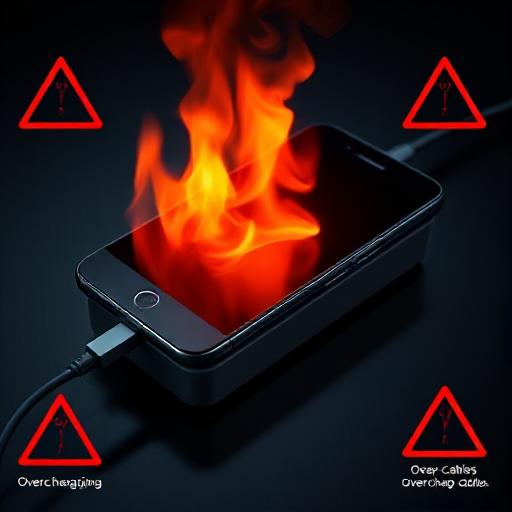

7 Common Mistakes That Damage Your Phone are more common than you think. Many people unknowingly follow harmful “smartphone hacks” that reduce battery life, slow performance, and even put personal data at risk. In today’s world, where smartphones are essential for communication, work, and entertainment, avoiding these mistakes is key to keeping your device safe and long-lasting.
From overcharging batteries to downloading shady apps, these mistakes not only reduce your phone’s lifespan but also put your personal data at serious risk.
In this guide, we’ll break down the 7 most common mistakes that harm your phone, why you should stop them immediately, and what better alternatives you can follow to keep your smartphone safe, fast, and long-lasting.
🚫 1. Overcharging Your Phone Overnight
Leaving your phone plugged in all night seems convenient, but it’s silently reducing your battery’s health. Modern smartphones use lithium-ion batteries, which are sensitive to heat and constant charging cycles.
Why You Should Stop:
- Overcharging causes unnecessary stress on the battery.
- Heat buildup reduces long-term battery capacity.
- Can even cause the phone to overheat in extreme cases.
Better Alternatives:
- Charge your phone during the day and unplug it at 80–90%.
- Use chargers with auto cut-off or smart plugs.
- Avoid keeping your phone under pillows while charging — it traps heat.
🚫 2. Using Cheap Third-Party Charging Cables
Saving money on cables can cost you your entire device. Many low-cost cables fail to regulate voltage, which can fry your battery or even cause fire hazards.
Why You Should Stop:
- Cheap cables don’t meet safety standards.
- Higher chances of overheating, short-circuits, and swelling batteries.
- May transfer data without your knowledge if compromised.
Better Alternatives:
- Buy certified chargers (MFi-certified for iPhones, USB-IF certified for Android).
- Stick to the original charger your phone came with.
🚫 3. Downloading Apps from Unknown Sources
Tempted by free games, mods, or premium apps on shady sites? This is one of the biggest mistakes that can compromise your phone’s security.
Why You Should Stop:
- High risk of malware, spyware, or ransomware.
- Can steal your personal information, including banking details.
- Slows down your device with hidden background processes.
Better Alternatives:
- Only use the Google Play Store or Apple App Store.
- Read reviews and app permissions before downloading.
🚫 4. Closing Apps Too Often to “Save Battery”
Many people believe that force-closing apps improves performance — but in reality, it does the opposite.
Why You Should Stop:
- Reopening apps consumes more battery and RAM than leaving them in the background.
- Causes slower performance and drains your battery faster.
Better Alternatives:
- Let your phone’s operating system manage background tasks.
- Only force-close apps when they freeze or misbehave.
🚫 5. Using Public Wi-Fi Without Protection
Free Wi-Fi at coffee shops, airports, or hotels feels convenient — but it’s also an open door for hackers.
Why You Should Stop:
- Hackers can intercept your browsing and passwords.
- Increased risk of identity theft, banking fraud, or malware attacks.
Better Alternatives:
- Use a VPN (Virtual Private Network) when on public Wi-Fi.
- Avoid logging into bank accounts or sensitive apps while connected.
🚫 6. Ignoring Software Updates
Many users delay updates to save space or avoid waiting time, but skipping updates leaves your phone vulnerable.
Why You Should Stop:
- Updates often include critical security patches.
- Protects against new viruses, malware, and system vulnerabilities.
- Skipping them increases the risk of data theft.
Better Alternatives:
- Enable automatic updates for both system software and apps.
- Update regularly to enjoy better performance and features.
🚫 7. Using Phone While Charging
Scrolling Instagram or playing games while charging may feel harmless, but it increases heat and damages the charging port.
Why You Should Stop:
- Causes battery overheating.
- Increases wear and tear on charging cables and ports.
- May even lead to short-circuit issues over time.
Better Alternatives:
- Let your phone charge without interruptions.
- If you must use it, connect to a power bank instead of a wall charger.
📊 Quick Comparison Table
| Feature/Practice | ❌ Old Habit | ✅ Safe Alternative |
|---|---|---|
| Charging | Overnight charging | Charge till 80–90% & unplug |
| Cables | Cheap third-party cables | Certified/original cables |
| Apps | Download from unknown sources | Use Play Store/App Store |
| Performance | Force-closing apps | Let OS manage apps |
| Wi-Fi | Public Wi-Fi without VPN | Use VPN/avoid sensitive tasks |
| Updates | Skipping updates | Enable auto-updates |
| Usage | Using phone while charging | Avoid/use power bank |
✅ Pros and Cons of Following These Tips
| Pros | Cons |
|---|---|
| Longer battery life | Requires breaking old habits |
| Better phone performance | Certified chargers & VPNs may cost more |
| Improved data security | Updates take storage space |
| Reduced overheating | Needs more charging awareness |
| Lower malware risk | Slight lifestyle adjustments |
🔗 Helpful Resources
- Android Security Tips – Google
- iPhone Battery Health – Apple Support
- Dangers of Public Wi-Fi – Norton
❓ FAQ: 7 Common Mistakes That Damage Your Phone
1. What are the 7 common mistakes that damage your phone?
The 7 common mistakes that damage your phone include overcharging overnight, using cheap charging cables, downloading apps from unknown sources, force-closing apps too often, using public Wi-Fi without protection, skipping software updates, and using the phone while charging.
2. Does overcharging your phone really damage the battery?
Yes. Overcharging creates heat and puts extra stress on lithium-ion batteries. This reduces battery health and shortens your phone’s lifespan.
3. Can cheap third-party chargers damage my phone?
Absolutely. Low-quality cables and adapters often fail to regulate power properly, which can lead to overheating, short circuits, or even permanent battery damage.
4. Why should I avoid downloading apps from unknown sources?
Downloading apps outside the official app stores is risky because they can carry malware, spyware, or hidden trackers that steal your personal information.
5. Is it bad to use my phone while charging?
Yes. Using your phone while charging generates extra heat, which wears down the battery faster and can damage charging ports over time.
6. How can I protect my phone from these mistakes?
To avoid the 7 common mistakes that damage your phone, charge safely, use certified cables, update your software regularly, avoid shady apps, and always protect yourself when using public Wi-Fi.
Final Thoughts
Your smartphone is not just a device — it’s your personal assistant, wallet, and digital companion. By avoiding these 7 harmful smartphone habits, you can extend your phone’s life, improve performance, and protect your personal data.
👉 Next time you’re tempted to overcharge your phone or download a free app from a shady website, remember: a little precaution today can save you from major headaches tomorrow.
Read more……….


